I only start to fill my Calendar by Google, but I have also my calendar on my portable with Kontact... The question which often arises in these cases, how to share information between the two (except if you are schizophrenic...) how to synchronize the two calendars??? Mr. Google once again thought to everything: it is simple: settings > calendars > share this calendar > calendar details.... There you will see small squares of color XML, iCal, HTML on the line private addresse. Select iCal and copy the address which is kindly given to you by Google. Now on Kontact: File > Import > Import Calendar... At this time there, instead of seeking on your computer a file, enter the address given by M.Google answer two or three questions... that is it. You finally could be more effective in your work, to optimize your life; -)
In the inuits legends, Amarok is the giant wolf which devours the imprudent hunters, who hunt alone the night. In the world of computers, Amarok is the application which could too devour the imprudent users of Windows which use the old old old Itunes... Amarok is an application of the free world which works exclusively under Linux or Unix.
AmaroK allows inter alia:
to manage advanced playlists
to develop new functionalities via scripts
to record statistical data of a song even if this one is renamed or moved
to use K3B (burning software for Kde) for the CD engraving
to use the data bases to store information of music
to use your iPod
to manually configure a generic reader with key format USB
to benefit from the crossfading
to use MusicBrainz to recover informations on your music
to recover the words of the songs
to recover the covers of albums on the Amazon site
to recover on Wikipédia the articles on the album, the artist or the song in the course of listening
to manage the support of radio operator flows of last.fm
Unfortunately for the users of Windows, Amarok will never be carried under Windows because of:
Just type: and then :%s/old_chain/new_chain/g To highlight a string, just move the cursor to the strinf, then press and then # to move from one occurrence to another, just press n.
You often connect remotely by using ssh… and you are fed up of always having to enter your password: ssh-agent is made for you. ssh-agent is a daemon whose only goal is to keep in memory (in a protected way) the “passphrase” so that it is not necessary to type it with each use of ssh.
The following order creates the variable SSH_AUTH_SOCK which contains the way of a socket that ssh, SCP (and other orders) will use to dialogue with ssh-agent: $ ssh-agent
To communicate the private key and the sentence of master key to ssh-agent by means of ssh-add: $ ssh-add ~/.ssh/id_rsa Enter the passphrase for /home/user/.ssh/id_rsa:
The private key is thus deciphered and stored in the mask of ssh-agent, lends to being used One can now use ssh and SCP without having to enter the password.
Sorry, I do not have a magic receipt, I tested Wine and Crossover well, but I had some problems with glu32.dll and opengl32.dll… I have thus to try the vitualisation and my Windows machine in Qemu. It is great, it works! I launch only that, and I have to remove the updates automatic of Windows, But yes, I can regenerate my virtual machine, therefore in the worst case the virus or the Trojan will remain there only one hour or two: -) not of chance for hackers. Moreover I am seeking how to accelerate my virtual machine: there that could become really a magic receipt, moreover if you have some already: as usual leave me a message
This trick can only be used if you are sure that there is no double value in a same list. You will understand why. First create an hash table (%seen), the basic idea is for each element ($_) of the merge of the two list, we will store it in the hash table. The first time the value is store; seen value is equal to 0, so the grep filter prevents this value to be record in @common. The second and other time an element will be seen, because it will be store with the same key value, the $seen{$_ } will be not null and so the element pass the test of the filter and is recorded.
my %seen;
my @common = grep {$seen{$_}++} @list_1 , @list_2;
but for doing that you need that list are unique (not two times the same element in the same list.) For doing that you can use this function:
sub Array_Uniq
{
my @List = @_;
my %FutureList;
foreach(@List)
{
$FutureList{$_} = 1; # delete double values
}
return (keys(%FutureList));
}
It makesa long timethatIdidn't speak about virtualisation… However it is a subject which will be discussed more and more. Moreover the RedHat company has just announced the nearest installationoftechnologyXEN within itsversionfor professional. Contraryto other technologies of virtualisation such VMWare or Qemuwhich simulates the material and the bios, the virtual machines under XEN has access to the material thanks to XEN modified kernel.The resultof thisother paradigmis a virtual machine almostasfastas themachine host. So enjoy the virtualization!!! The only constraintis that thearchitectureof the virtual machinesmust enable them to use thetechnologyXEN…contraryto VMWareand Qemuwhichdoes not require modification of “guest” OS. It is not a problem withopensource OS such Linux, whose code was already modifiedto be able to turn with XEN, on the other handwhat is at stake isWindows… And it is there that the real difficultyarises: much userofLinux uses a virtual machine to make turn Windows,even if the team of XEN saidto have modifiedWindowsto allow to make it turnunder XEN, some licences prevent the team from publishing…Let us hopethat theagreementbetweenMicrosoftand XENcould change the situation. In addition the arrival of dual the coreand technologies of virtualisation directly within theprocessorsshouldend licence's problems mentioned herebefore and another side to still improve quality of virtualisation… The bootloadercould thusbelong very soontolastand thestoriesof I amunder such OS, I must reboot… will be finished soon.
I have just bought a DVB-T usb key Freecom. I thus took one having best price quality: Freecom DVB-T I bought it on the Amazon web site for some 45$ It works well under Windows: even if the installation program is quite bad… that still finish to work. The good point is that the antenna comes with a MediaCenter software: very interesting when as me you have only one Windows XP pro without the media center. But you suspect well that I have to install it under Linux; -) Guess? YES! It works better: no problem the image never freeze : a pleasure and all that with only the small provided antenna! To install the DVB-T key, do not try modify your kernel and to add modules to it; best is to use tools from linuxtv:
apt-get mercurial build-essential (et les header de votre kernel si vous avez un kernel standard)
mkdir /usr/src/modules
cd /usr/src/modules
hg clone http://linuxtv.org/hg/v4l-dvb
cd v4l-dvb
make-config
Answer to the questions as there:
# # using defaults found in .config # * * Linux Kernel Configuration * * * Multimedia devices * Video For Linux (VIDEO_DEV) [N/m/y/?] n * * Digital Video Broadcasting Devices * DVB For Linux (DVB) [Y/n/?] y DVB Core Support (DVB_CORE) [N/m/y/?] m * * Supported SAA7146 based PCI Adapters * * * Supported USB Adapters * Support for various USB DVB devices (DVB_USB) [N/m/?] (NEW) m Enable extended debug support for all DVB-USB devices (DVB_USB_DEBUG) [N/y/?] (NEW) n AVerMedia AverTV DVB-T USB 2.0 (A800) (DVB_USB_A800) [N/m/?] (NEW) n DiBcom USB DVB-T devices (based on the DiB3000M-B) (see help for device list) (DVB_USB_DIBUSB_MB) [N/m/?] (NEW) n DiBcom USB DVB-T devices (based on the DiB3000M-C/P) (see help for device list) (DVB_USB_DIBUSB_MC) [N/m/?] (NEW) n HanfTek UMT-010 DVB-T USB2.0 support (DVB_USB_UMT_010) [N/m/?] (NEW) n Conexant USB2.0 hybrid reference design support (DVB_USB_CXUSB) [N/m/?] (NEW) n Nebula Electronics uDigiTV DVB-T USB2.0 support (DVB_USB_DIGITV) [N/m/?] (NEW) n TwinhanDTV Alpha/MagicBoxII, DNTV tinyUSB2, Beetle USB2.0 support (DVB_USB_VP7045) [N/m/?] (NEW) n TwinhanDTV StarBox and clones DVB-S USB2.0 support (DVB_USB_VP702X) [N/m/?] (NEW) n GENPIX 8PSK->USB module support (DVB_USB_GP8PSK) [N/m/?] (NEW) n Hauppauge WinTV-NOVA-T usb2 DVB-T USB2.0 support (DVB_USB_NOVA_T_USB2) [N/m/?] (NEW) n WideView WT-200U and WT-220U (pen) DVB-T USB2.0 support (Yakumo/Hama/Typhoon/Yuan) (DVB_USB_DTT200U) [N/m/?] (NEW) m Technotrend/Hauppauge Nova-USB devices (DVB_TTUSB_BUDGET) [N/m/?] (NEW) n Technotrend/Hauppauge USB DEC devices (DVB_TTUSB_DEC) [N/m/?] (NEW) n Terratec CinergyT2/qanu USB2 DVB-T receiver (DVB_CINERGYT2) [N/m/?] (NEW) n * * Supported FlexCopII (B2C2) Adapters * Technisat/B2C2 FlexCopII(b) and FlexCopIII adapters (DVB_B2C2_FLEXCOP) [N/m/?] (NEW) n * * Supported BT878 Adapters * * * Supported Pluto2 Adapters * Pluto2 cards (DVB_PLUTO2) [N/m/?] (NEW) n * * Supported DVB Frontends * * * Customise DVB Frontends * * * DVB-S (satellite) frontends * ST STV0299 based (DVB_STV0299) [N/m/?] (NEW) n Conexant CX24110 based (DVB_CX24110) [N/m/?] (NEW) n Conexant CX24123 based (DVB_CX24123) [N/m/?] (NEW) n Philips TDA8083 based (DVB_TDA8083) [N/m/?] (NEW) n Zarlink VP310/MT312 based (DVB_MT312) [N/m/?] (NEW) n VLSI VES1893 or VES1993 based (DVB_VES1X93) [N/m/?] (NEW) n Samsung S5H1420 based (DVB_S5H1420) [N/m/?] (NEW) n * * DVB-T (terrestrial) frontends * Spase sp8870 based (DVB_SP8870) [N/m/?] (NEW) n Spase sp887x based (DVB_SP887X) [N/m/?] (NEW) n Conexant CX22700 based (DVB_CX22700) [N/m/?] (NEW) n Conexant cx22702 demodulator (OFDM) (DVB_CX22702) [N/m/?] (NEW) n LSI L64781 (DVB_L64781) [N/m/?] (NEW) n Philips TDA10045H/TDA10046H based (DVB_TDA1004X) [N/m/?] (NEW) n NxtWave Communications NXT6000 based (DVB_NXT6000) [M/?] (NEW) n Zarlink MT352 based (DVB_MT352) [M/?] (NEW) m Zarlink ZL10353 based (DVB_ZL10353) [N/m/?] (NEW) m DiBcom 3000M-B (DVB_DIB3000MB) [N/m/?] (NEW) n DiBcom 3000P/M-C (DVB_DIB3000MC) [N/m/?] (NEW) n * * DVB-C (cable) frontends * VLSI VES1820 based (DVB_VES1820) [N/m/?] (NEW) n Philips TDA10021 based (DVB_TDA10021) [N/m/?] (NEW) n ST STV0297 based (DVB_STV0297) [N/m/?] (NEW) n * * ATSC (North American/Korean Terrestrial/Cable DTV) frontends * NxtWave Communications NXT2002/NXT2004 based (DVB_NXT200X) [N/m/?] (NEW) n Oren OR51211 based (DVB_OR51211) [N/m/?] (NEW) n Oren OR51132 based (DVB_OR51132) [N/m/?] (NEW) n Broadcom BCM3510 (DVB_BCM3510) [N/m/?] (NEW) n LG Electronics LGDT3302/LGDT3303 based (DVB_LGDT330X) [N/m/?] (NEW) n * * Miscellaneous devices * LNBP21 SEC controller (DVB_LNBP21) [N/m/?] (NEW) n ISL6421 SEC controller (DVB_ISL6421) [N/m/?] (NEW) n DABUSB driver (USB_DABUSB) [N/m/?] n
make
make install
Now you only need to reboot your pc and there is a small orange light… You do it: congratulation! Now go in Kaffeine: play a little with the configuration menu and now you should be able to watch TV programs on your computer: cool isn't it. Of course before that I had some problem but if you have problem write a post and I will try to help you
You probably know Google Video: this is an excellent animation film you can find on Google Video: Elephants Dreams
What is at stake with this small cartoon is that it was entirely created with free software: like Blender… Thus if you feel the heart of Tim Burton, enjoy Blender.
Regarding Elephants Dream, my opinion is that all the machine is in the head of the young person and that the old man is there to only try to maintain this beautiful machine. In fact he know that it can be realized only by maintaining the young person in the belief of the machine… If you have divergent opinions: leave a post; -)
I had problems where the mouse would stick at the bottom right-hand corner, becoming unusable. A solution to this is before you run qemu, type in your terminal this command:
Do you know this tool? I have used it a long time now and it is totally amazing. I have never to use again konsole. Only press F12 and you have your Terminal:
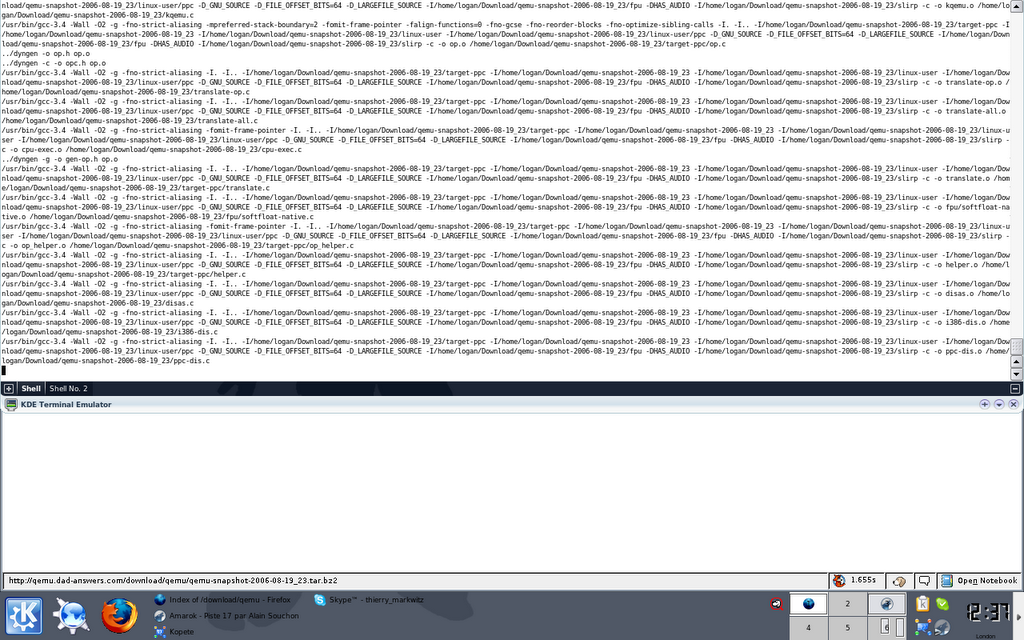
you can configure its height, its weight, you can have several terminal in the same time. This is very useful: I recommend it to any geek
Imagine that you have an huge, huge file, organized with columns, like that:
Class    Top_Searches                Num_Search

1.     Heathrow                        34521
2.     Meebo                            34478
3.     Buffett and Hezbollah    23442
4.     London                        21354
5.     Lieberman                    16532
6.     Lebanon                        15342
7.     Icalendar                    15234
8.     Israel                        12345
9.     Video                            9877
10.     Terror                        8532
11.     Deceit Beyond                5679
12.     Adnan Hajj                    4568
13.     Apple                            3467
14.     Terrorism                    2345
15.     Terror Plot                    2123
If you want only to displays the first and third columns, it seems impossible... Actually, only for a windows user, because Linux or Unix have a powerful tool to manipulate those file. One year ago, my girl friend had a huge huge file, a bit like that for a study about obesity, she tried to opened it with excel... But excel freezed becquse the file was too big... So she asked me for a solution: I did all she wanted only by using command line tools and espescially awk! So now some example to measure the power of awk. The awk command is as you have already probably understood a power pattern matching language that allows you to modify input lines by manipulating the fields they contain.
$ awk '{print}' file.txt
This has the same result as $ cat file.txt, it displays all the content of the file
$ awk '\toto\' file.txt
This has the same result as $ grep Heathrow file.txt, it displays only line which content the word Heathrow.
$ awk '\Lieberman\ {print $5,$7,$12}' file.txt
It only displays columns 5, 7 and 12 of line containing "Lieberman"
$ awk '{if ($3 <>
It displays columns 3 and 7 if the key 3 is less than 2000.
Display user by increasing userid. Notice that if you want to print a tabulation you've to use \t, idem if you want print a new line, use \n.
$ awk -F"\t" '{ print $4 "\t" $10 }' file.txt
You can specified the separator with the command -F"\t" (notice that tabulation and space are the default one)
And this is only the beginning with some file, where you use a end line to separate data and a some sign like @ to separate a group of data, you can use awk to retrieve some informations:
Row Tags
1.  Israel
2.  Lebanon
3.  War
4.  Hezbollah
5.  lieberman
5.  Microsoft
6.  leberman
7.  AOL
8.  ned lamont
9.  wordpress
10.  Windows
11.  Iraq
12.  Sex
13.  Bush
14.  Middle
To compare and join the key 2 of the file 1 (this is the signification of the argument -1 2) with the key 1 of the file 2. $ join -1 1 -2 1 techno_1 techno_2
Row Search Number_Hit Tags
1. Lieberman 60853 Israel
2. Adnan Hajj 40642 Lebanon
3. Icalendar 30674 War
4. Meebo 26389 Hezbollah
5. Lamont 26321 lieberman
5. Lamont 26321 Microsoft
6. Buffett 25321 leberman
7. Video 19532 AOL
8. Aol Search 18344 ned lamont
9. Lebanon 16532 wordpress
10. Israel 15342 Windows
11. Wwdc 11453 Iraq
12. Cynthia 10567 Sex
13. McKinney 9674 Bush
14. Ned Lamont 8334 Middle
Interesting isn'it? I hope it could help you, in fact this is not the best example, I know but if you were seqrching how to concatenate two files this is the tool you need, and I've just give you the syntax. I hope it will be helpful

 AmaroK allows inter alia:

 you can configure its height, its weight, you can have several terminal in the same time. This is very useful: I recommend it to any geek
